Musicnix - MP3 Player
- 4.1
- Rating
- 5.00M
- Installs
- Free
- Price

 Analysis by App-foxy
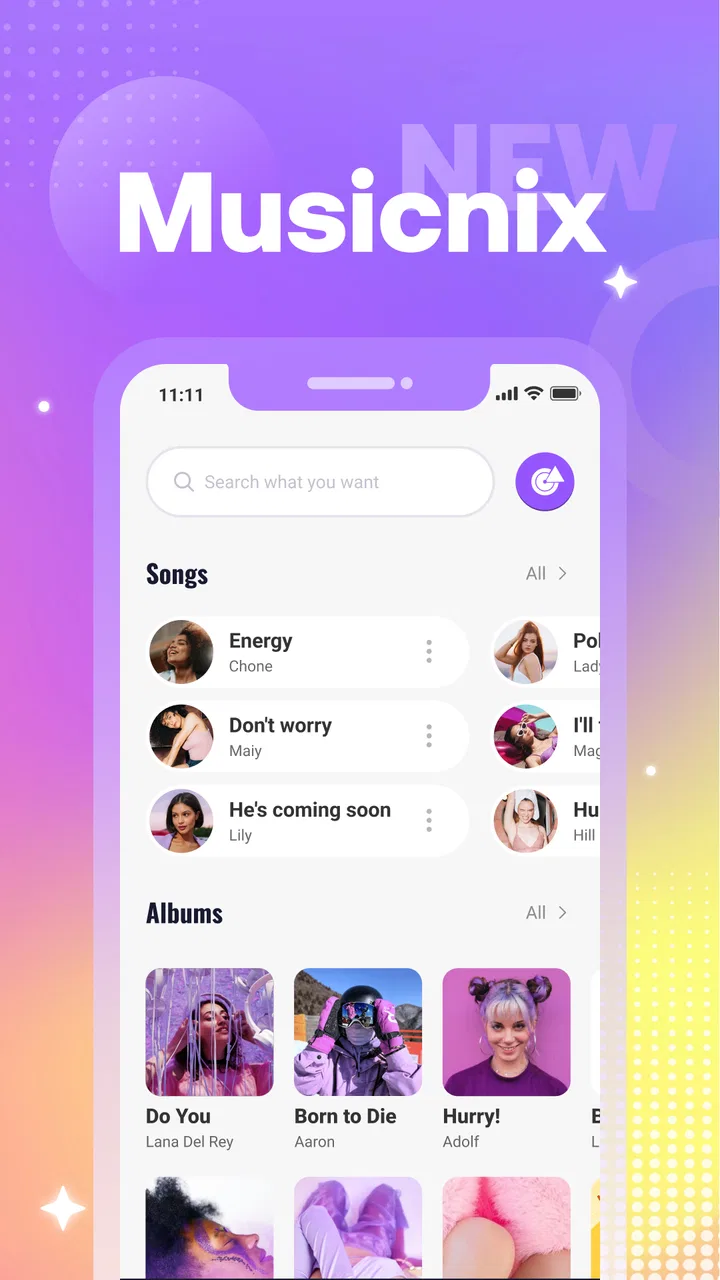
I spent time with Musicnix - MP3 Player as a straightforward way to play music already available on a device, and my overall impression is clear: it is most appealing when you want a simple listening tool rather than a complete music platform. It sits in the Music & Audio category, comes from Khan eCoding, and keeps its purpose refreshingly narrow. I could focus on choosing a track, starting playback, pausing it, and deciding whether to hear it again, without being pushed toward a large online catalog or a complicated discovery system.
That simplicity is both the app’s main strength and the point that will decide whether it belongs on your phone. If you are looking for a lightweight MP3 player for personal files, Musicnix is easy to understand. If you expect streaming, recommendations, social tools, extensive library management, or studio-level audio controls, I would look elsewhere. My recommendation is therefore positive but specific: this is a practical choice for listeners who value a focused player and do not need it to become an all-in-one music service.
How Musicnix feels in everyday use
The first thing I noticed is how little mental effort the app demands. A music player should not make me think about the player itself while a song is playing, and Musicnix generally follows that principle. The central actions are familiar, so I could get to the basic listening task quickly instead of learning a new system. That makes it suitable for someone who wants a personal audio utility rather than an app that constantly asks for attention.
You May Also Like

 Blood Strike: 2.5 Anniversary
Blood Strike’s Loadouts Turn Every Drop Into a Tactical Gamble
A close look at Blood Strike’s custom loadouts: how fast access to signature weapons reshapes its battle royale rhythm, rewards preparation, and narrows the gap between fights.

 Pandora - Music & Podcasts
Pandora’s Music Is Easy to Start, but Harder to Recover
Pandora’s strength is its low-effort path from a seed to a station. Its weak spot is how much confidence it asks you to place in connection, setup, and quiet recovery.

 8 Ball Pool
 Is Built on Rivalries, Rematches, and Routine
A close look at the rivalries, rematches, shared routines, and unanswered safety questions that turn a quick pool match into a persistent mobile community.

 Samsung Music
’s Quiet Strength Is Playing What You Already Own
Its reach comes less from spectacle than from dependable access to a personal library. That simplicity is both the app’s strongest retention engine and its ceiling.

 AccuWeather: Weather Radar
AccuWeather Review: A Quick, Clear Forecast for Everyday Decisions
For everyday plans, the best forecast is the one you can understand quickly. AccuWeather makes rain timing, radar, and local conditions easy to act on, with a few trade-offs.

 Hill Climb Racing
Why Hill Climb Racing Still Turns Crashes Into One More Run
A tiny car, a bumpy hill and one more upgrade: Hill Climb Racing keeps resurfacing because its simple chaos makes every near-miss feel personal.
More From Our News Desk



Its store summary, “Play, pause, repeat—your way,” captures the practical idea behind it without telling the whole story. The useful part is not the wording but the narrow workflow it suggests: select something to hear, control playback, and repeat it when that suits you. I found that approach especially comfortable for short listening sessions, such as putting on a familiar recording while cooking, taking a walk, or working through a repetitive household task.
A realistic example is a commute where I already have a few downloaded MP3 files and do not want to open a streaming service. With Musicnix, the decision is simple: choose the local track and let it play. I do not need to browse a huge catalog, compare versions, or wait for a recommendation to appear. That makes the app feel more like a dependable pocket player than a destination for discovering new music.
The app is free, which removes the biggest barrier to trying it. It is also marked for Everyone, so its presentation is approachable for a broad audience. I would still judge the experience by your own music habits: free access is valuable here because the app’s appeal depends on whether its focused design matches your needs, not because it replaces every other audio service.
The controls matter more than the decoration
With a basic player, small choices have an outsized effect. A control that is easy to reach feels useful; one that is buried behind extra screens makes even a familiar task irritating. Musicnix benefits from keeping the listening interaction understandable. I did not approach it as a tool for editing audio or organizing a professional collection. I approached it as the place to press play and leave the music alone, and that is where it makes the strongest case for itself.
The repeat behavior is particularly relevant for people who use music functionally. You might want one track during concentration, a short recording for language practice, or a favorite song in the background while falling asleep. A focused player can be better than a streaming app in those situations because it does not encourage constant switching. The trade-off is that listeners who enjoy automatic discovery may find the experience too quiet and limited.
Another practical strength is the app’s accessibility in terms of device age. Musicnix supports Android 7.0 and later, which gives it a reasonably broad reach among Android users who are not carrying the newest phone. That matters if you are keeping an older device for offline music or using a secondary handset as a dedicated player. I would not install it solely because of that compatibility, but it makes the app easier to consider for older hardware.
What the public response suggests
Musicnix has passed one million installs and holds an average rating of 4.0 from around 1.6 thousand ratings. Those figures suggest that the basic concept works for a substantial group of users, while the rating also encourages a realistic view rather than blind enthusiasm. I read that combination as a sign of a useful, approachable app that may not satisfy every listener or every preferred workflow.
There are around two dozen written reviews, so the numerical rating gives a broader signal than the written commentary. I would not treat the rating as proof that the app is perfect. Instead, it tells me that Musicnix is established enough to attract meaningful use and that its simple purpose resonates with many people. The important question remains whether you want a local-style player or a service built around online content.
The current version is 1.1.2, and the app was released on August 15, 2025. That relatively recent release context is worth keeping in mind when setting expectations. A focused player can feel pleasantly uncluttered, but a newer app may also have a more limited history of refinement than long-established alternatives. I would keep the app updated and pay attention to how reliably it handles your own collection rather than assuming that a clean first impression answers every long-term question.
Where the app is genuinely useful
Musicnix is a good fit for people whose music is already organized somewhere on their Android device. That includes listeners with a personal MP3 collection, recordings transferred from another device, or a small set of files they want to hear without opening a streaming account. The app’s value increases when your goal is direct playback and decreases when your goal is finding something new.
I also see a place for it on a spare phone. An older Android handset can become a simple music device for a child, a family member, or someone who does not want a full social media and streaming environment. Because the app is free and intended for Everyone, it is easier to recommend as a low-commitment experiment. The person using it still needs compatible audio files, but the player itself does not make the daily task feel intimidating.
For concentration, repetition can be more helpful than variety. I would use Musicnix for a familiar album, a long recording, or one track that provides a steady background. This is one of the less obvious advantages of a narrow player: it can reduce the temptation to browse. If you are trying to read, study, or work, a tool that stays out of the way may serve you better than an app designed to keep presenting fresh content.
There is also a useful distinction between owning or storing audio and accessing it through a service. With a streaming platform, your listening experience depends on its catalog, account system, and connection model. With Musicnix, the starting point is your own files. That can be more predictable for a personal collection, but it also means the app cannot solve the separate problem of obtaining, tagging, or legally managing music. I would prepare the files first and then use the player for playback.
Three practical habits that improve the experience
My first tip is to treat Musicnix as the playback layer, not as a library-cleanup tool. Before opening it, give your audio files sensible names and place them where you can find them. A messy collection will still feel messy inside a simple player. Spending a few minutes sorting albums, recordings, or playlists outside the app can make the listening session much smoother than expecting the player to organize everything for you.
Second, create a small “use case” collection instead of throwing every file into one undifferentiated pile. For example, keep separate groups for commuting, quiet work, exercise, or spoken recordings. This is a more effective workflow for a focused app because it turns the player into a quick launch point. You spend less time searching and more time listening, which is exactly where Musicnix feels most comfortable.
Third, use repeat intentionally rather than leaving it as an accidental setting. Repeating one track makes sense for practice, sleep routines, or focused work, but it can become frustrating if you forget that it is enabled. I recommend checking the playback state before starting a longer session. That small habit prevents the common surprise of hearing the same recording again when you expected the next item.
A fourth consideration is storage. If you are relying on local files, keep a copy of important recordings somewhere else rather than treating the player as a backup system. Musicnix can be the convenient way to listen, but it should not be the only place your personal audio exists. This is especially important for recordings that would be difficult to replace.
The limitations I would take seriously
The main weakness is not a single frustrating button; it is the app’s limited ambition. Musicnix is not the right choice if your daily listening begins with searching for artists, albums, podcasts, or newly released tracks online. A streaming service will be much better for discovery, broad catalogs, recommendations, and account-based access across devices. Choosing Musicnix in that situation would mean giving up the features that make those services convenient.
I would also hesitate to recommend it to someone who expects advanced audio customization. Audiophile listeners may want detailed equalizer controls, format handling, playback analysis, gapless behavior, or extensive sorting options. A specialist player is a better match when those details are central to your enjoyment. Musicnix makes more sense when you want the basics to remain basic.
Library management is another possible point of friction. A simple player can be wonderfully clear with a small collection, but the same simplicity may become restrictive as your files multiply. If you keep thousands of tracks across many folders, depend on carefully edited metadata, or need elaborate smart playlists, a mature music manager may save time. Musicnix is strongest when you can keep the selection manageable and know what you want to play.
I would not choose it as my only audio app if I regularly move between phone, tablet, desktop, and car systems and expect everything to synchronize automatically. A local player is naturally more device-centered than a cloud-based service. That is not a flaw for everyone, but it is an important trade-off. Before switching, ask whether your priority is control over personal files on one device or seamless access to a broad library everywhere.
Who should install it, and who should skip it?
I would recommend Musicnix to someone who says, “I already have my music; I just need a clean way to play it.” That sentence describes the app better than any feature checklist. It is a sensible option for offline listeners, owners of older Android phones, people who prefer familiar controls, and anyone who wants to avoid the distractions of a large streaming platform.
It can also suit a listener who values repeat playback for a specific routine. Language learners using personal recordings, musicians practicing with reference tracks, and people who use a steady audio loop for concentration may appreciate the directness. The app does not need to be a universal music solution to be useful in those narrow but common situations.
I would skip it if your first question is, “What should I listen to next?” That is the territory of recommendation engines and streaming catalogs. I would also skip it if you need synchronized libraries, deep metadata tools, sophisticated sound shaping, or a player built around podcasts and spoken-word subscriptions. In each case, another category of app is better suited to the job.
For families or less technical users, the free price and Everyone rating make the app easy to try, but I would still set up the audio collection beforehand. A simple player is only simple after the files are ready. If the person using the phone has to search through confusing filenames or scattered folders, the app may feel less friendly than expected. Good preparation is therefore part of getting the best result from Musicnix.
My verdict after using Musicnix
Musicnix - MP3 Player succeeds by refusing to pretend that every listener needs a full music ecosystem. Khan eCoding has positioned it as a focused Music & Audio app, and that focus is its clearest advantage. I found it most convincing when I used it for direct playback, familiar recordings, offline listening, and repeat-based routines. It stays understandable, costs nothing to try, and supports Android 7.0 and later.
The balanced conclusion is that this is a useful tool, not a replacement for every alternative. Its average rating of 4.0 and reach of over one million installs show that the straightforward approach has found an audience, but they do not change the app’s basic trade-off. You gain a less demanding listening experience and give up the breadth, discovery, and advanced control offered by larger or more specialized players.
My final recommendation is simple: install it if your own MP3 files are the center of your listening routine. Prepare those files, keep your collections easy to browse, and use repeat deliberately. If you want a catalog, recommendations, synchronization, or detailed audio engineering controls, choose a different app instead. For the right listener, Musicnix is not exciting in the flashy sense; it is useful because it lets music remain the main event.
After trying it, I would keep it in mind as a dependable secondary player even if I used another service for discovery. That combination makes sense: a streaming app for finding new music and Musicnix for the personal recordings I already own. In that role, it earns its place through clarity rather than excess, which is a worthwhile quality in an app designed to do one everyday job well.
FAQs for Musicnix - MP3 Player
01What are the key features of Musicnix - MP3 Player?
Musicnix - MP3 Player offers a sleek and user-friendly interface, allowing easy navigation through your music library. It supports a wide range of audio formats, ensuring compatibility with most music files. The app also provides customizable equalizer settings, playlist management, and offline playback, making it a versatile choice for music lovers.
02Is Musicnix - MP3 Player free to use?
Yes, Musicnix - MP3 Player is available as a free download. However, it offers in-app purchases for those who wish to access premium features. These might include an ad-free experience, advanced equalizer settings, or additional themes for customization. The free version still provides a robust set of features for most users.
03Does Musicnix - MP3 Player support offline music playback?
Absolutely! Musicnix - MP3 Player allows you to play your downloaded music files without an internet connection. Simply ensure your music is stored on your device, and the app will organize and play your tracks seamlessly, making it perfect for on-the-go listening without data usage.
04Can I create and manage playlists in Musicnix - MP3 Player?
Yes, the app provides comprehensive playlist management features. You can easily create, edit, and organize playlists to suit your mood and preferences. Whether you want to group songs by genre, artist, or any other criteria, Musicnix makes it simple to curate your perfect listening experience.
05What audio formats does Musicnix - MP3 Player support?
Musicnix - MP3 Player supports a wide range of audio formats beyond just MP3. This includes formats like AAC, WAV, FLAC, and more. This ensures that whatever your preferred audio format, Musicnix can handle it, providing flexibility and convenience for all your music playback needs.
Pros
- User-friendly interface with intuitive controls.
- Wide range of supported audio formats.
- Customizable equalizer for sound enhancement.
- Offline playback without interruptions.
- Minimal ads for a smoother experience.
Cons
- Limited cloud integration options.
- No lyric display feature available.
- Occasional crashes on older devices.
- Lacks advanced playlist management.
- Limited support for podcasts.

Musicnix - MP3 Player
Gallery